
Introduction
Online blooket/play educational games have become a popular way for students to learn while enjoying interactive activities. Instead of relying only on textbooks and traditional classroom exercises, students can now answer questions and build their knowledge through digital learning platforms.
One popular platform in this category is Blooket. It combines educational quizzes with entertaining game modes, allowing teachers to turn ordinary questions into exciting classroom activities. Students can answer questions, earn rewards, compete with classmates, and practice different subjects in an enjoyable environment.
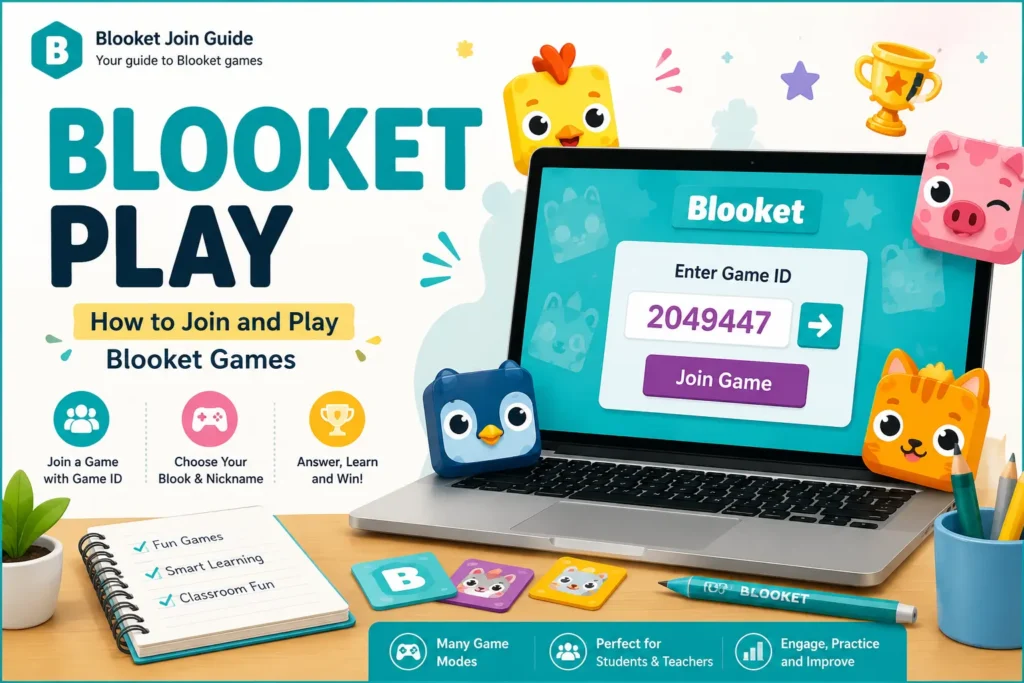
The keyword Blooket/Play is commonly associated with accessing the platform and joining an active game. Students can visit the official Blooket Play page and enter a game code provided by their teacher or host. They may also join through a QR code or a shared invitation link.
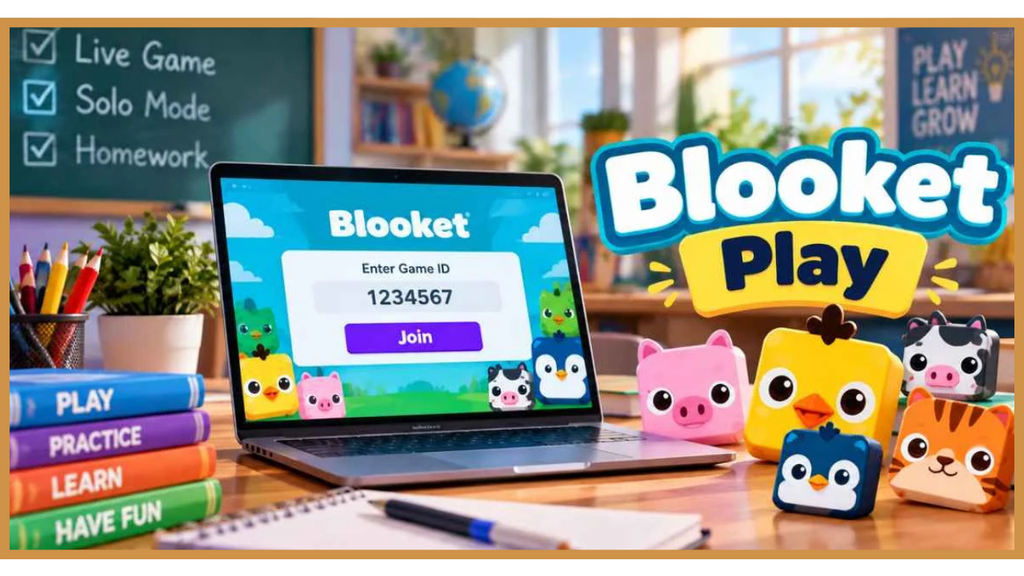
Blooket offers more than live classroom competitions. Users can explore question sets, play supported solo games, and complete homework assignments. This flexibility makes the platform useful for both classroom learning and independent practice.
Whether you are a student trying to join a live quiz or a teacher looking for ways to make lessons more interactive, understanding how Blooket works can help you get started.
What Is Blooket Play?
Blooket Play refers to participating in educational games through the Blooket platform. blooket/play It allows students to access interactive quizzes and answer questions while taking part in different gaming activities.
Blooket is designed to make learning more engaging. Teachers can select existing question sets or create their own questions based on specific subjects. They can then choose a suitable game mode and invite students to participate.
Students generally join live games through the official Play page. They enter a game ID, choose a nickname when required, and wait for the host to begin the activity.
Unlike traditional quizzes, Blooket combines educational questions with different gameplay experiences. Depending on the selected mode, players might collect rewards, build structures, complete challenges, or compete against other participants.
The platform supports various educational subjects, including:
- Mathematics and basic calculations
- English grammar and vocabulary
- Science and general knowledge
- History and geography
- Reading and language practice
- Classroom revision activities
The main goal is to make learning more interactive while maintaining the educational value of the questions.
How Does blooket/play Work?
Blooket works through question sets and game modes. A question set contains educational questions and their correct answers, while the game mode determines how players interact with that content.
For example, a teacher might select a mathematics question set and use it in a competitive game. Students answer educational questions while the selected game mode adds an entertaining activity to the experience.
The process involves three main elements:
Question Sets: These contain the educational material students need to answer. Teachers can create their own sets or discover publicly available question sets.
Game Modes: blooket/play These determine how the activity works. Different modes introduce different objectives, challenges, and gameplay mechanics.
Player Participation: Students join through a live game code, QR code, shared invitation link, or homework assignment. Their answers help them progress through the selected activity.
This combination makes Blooket useful for reviewing lessons, practicing important concepts, and encouraging classroom participation.
How to Access the Official Blooket Play Page
Students who want to join a live Blooket game should use the official website rather than unrelated websites offering random game codes.
The official Blooket Play page is:
This is where participants can enter a game ID provided by their teacher or host.
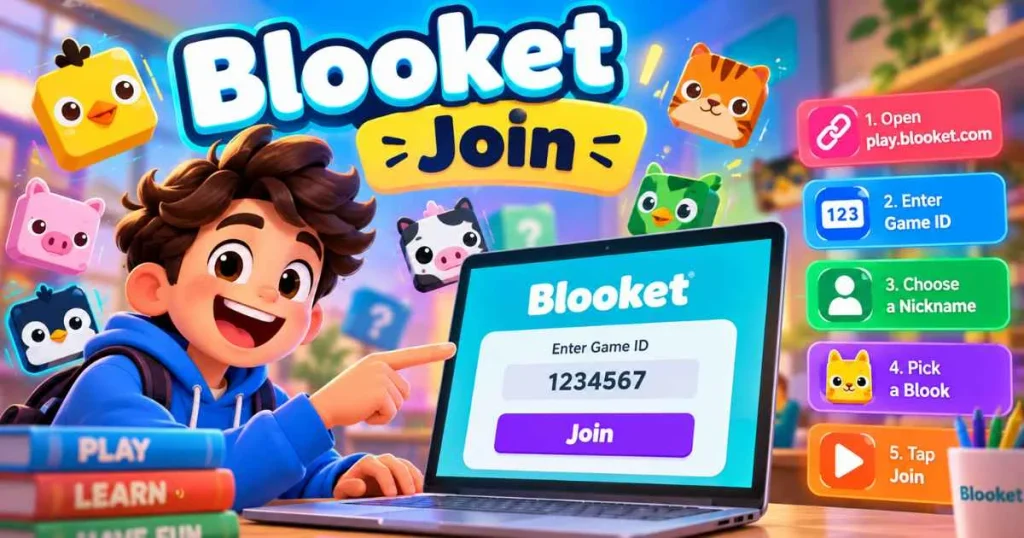
Follow these steps to join a game:
- Open a web browser on your computer, tablet, or smartphone.
- Visit the official blooket/play website.
- Ask your teacher or game host for the current game code.
- Enter the game ID in the provided field.
- Follow the instructions displayed on the screen.
- Choose an appropriate nickname if requested.
- Select a Blook if the game provides that option.
- Wait for the host to start the activity.
Once the host starts the game, questions and gameplay instructions will appear on your screen.
Remember that a game code is not a permanent password. It is connected to a particular game session, so an old or expired code may no longer work.
How to Join a Blooket Game Using a Game ID
Joining a Blooket game is simple when you have the correct invitation information.
A teacher or host normally creates a live game and shares its access details with participants. blooket/play Students can then use the game ID to enter the session.
Enter the Blooket Game Code
First, visit play.blooket.com and enter the game code supplied by your teacher.
Blooket uses a game ID to connect participants with the correct session. Enter the digits carefully because an incorrect number can prevent you from joining.
If the code does not work, ask the host to confirm that the game is still active and that the code is correct.
Choose Your Nickname
After entering the game code, you may be asked to provide a nickname.
This name helps the teacher identify you on the game screen. If the host enables random nicknames, the platform may assign one automatically.
Students should blooket/play choose appropriate names that are easy for their teachers to recognize, especially when the activity is connected to classroom assignments.
Select Your Blook Avatar
In supported game sessions, players may have the option to choose a Blook before the activity begins.
Blooks are the characters used throughout the Blooket experience. They add a visual element to the platform and make participation more enjoyable.
The available choices may depend on your account and the options provided during the game.
Wait for the Game to Start
After completing the joining process, remain in the game lobby.
The host controls the session and usually starts the game after participants have joined. Once the activity begins, follow the instructions displayed on your screen and answer the questions.
If you cannot enter a session that has already started, the host may need to enable late joining.
Different Ways toblooket/play
Blooket offers different ways to participate depending on whether you are joining a classroom activity, practicing independently, or completing homework.
Understanding these options can help students choose the right way to access their activities.
Join Live Blooket Games
Live games are commonly used by teachers during classroom lessons.
The teacher selects a question set, chooses a game mode, and hosts the activity. Students join using a game code, QR code, or invitation link.
During the game, blooket/play participants answer questions while the selected mode determines how their progress is displayed.
Live games are useful for:
- Classroom competitions
- Lesson revision
- Group learning activities
- Subject-based quizzes
- Knowledge assessments
- Interactive classroom discussions
Teachers can also review the available results after the activity to understand how students performed.
Play Blooket Solo
Solo gameplay allows users to practice without participating in a live classroom competition.
To begin, users can visit the Discover section and search for a public question set. They can also select one of their own question sets from My Sets.
The general process is:
- Open Blooket and visit Discover.
- Search for a topic or question set.
- Select the question set you want to use.
- Choose the Solo option.
- Select an available solo game mode.
- Press Play to begin.
Some solo game blooket/play modes may also support continuing a previously saved game.
Solo gameplay is helpful for students who want to practice at their own pace, review difficult subjects, or prepare for upcoming tests.
Complete Blooket Homework
Teachers can use Blooket to assign homework that students complete outside regular classroom sessions.
The teacher shares a homework link or QR code. Students open the invitation and review the assignment details before starting.
These details may include the homework title, blooket/play teacher information, due date, and required completion goal.
After selecting Get Started, students can choose from the game modes allowed by the assignment. They then enter an appropriate nickname and answer questions until they reach the required goal.
Students should follow their teacher’s instructions and complete assignments before the deadline.
Popular Blooket Game Modes
One reason Blooket attracts students and teachers is its variety of game modes. Each mode provides a different way to interact with educational questions.
The platform offers numerous game modes, although availability can depend on the activity, account, and current platform options.
Here are some popular examples.
Café
Café combines question answering with a restaurant-management activity.
Players answer blooket/play questions and use their progress to serve customers and manage their virtual café. It connects educational practice with simple management challenges.
Gold Quest
Gold Quest introduces treasure chests and rewards into the question-answering process.
Players answer questions correctly and select treasure chests that may contain different rewards or surprises. This creates an unpredictable competition in which results can change throughout the game.
Tower Defense blooket/play
Tower Defense combines educational questions with strategic gameplay.
Players answer questions and use their progress to build defensive towers. The objective is to protect their area against incoming enemies.
This mode combines knowledge practice with planning and decision-making.
Tower Defense 2
Tower Defense 2 offers another version of the defensive strategy experience.
Players answer questions, build towers, and improve their defenses to stop waves of enemies. It can be enjoyable for students who prefer strategy-based activities.
Factory
Factory focuses on developing and managing a virtual production environment.
Players answer educational questions and use their progress to improve their factory. The activity connects learning with planning and resource management.
Fishing Frenzy
Fishing Frenzy uses a fishing-themed environment to blooket/play make answering questions more entertaining.
Players interact with the game while working through educational questions. It offers a different experience from traditional quiz competitions.
Monster Brawl
Monster Brawl introduces action-oriented gameplay in which players answer questions while progressing through challenges.
It combines quick thinking with educational practice.
Racing
Racing focuses on answering questions to progress through a competition.
Players aim to answer accurately and move toward the finish line. This mode is suitable for activities where speed and knowledge both matter.
Study blooket/play
Study provides a more direct question-and-answer experience.
Rather than focusing on a traditional competitive environment, it emphasizes answering questions and reviewing knowledge.
Game mode availability can change, so students and teachers should check Blooket’s official Game Mode Previews page for the latest information.
How to Play Blooket on Mobile and Computer
Blooket can be accessed through a compatible web browser on different internet-connected devices.
Students do not necessarily need a desktop computer to participate in a live game. They can use a smartphone, tablet, Chromebook, or laptop.
Playing on a Computer
A computer can provide a blooket/play comfortable experience because it offers a larger display and convenient keyboard and mouse controls.
To play:
- Open your preferred web browser.
- Visit play.blooket.com for a live game.
- Enter the game ID supplied by your host.
- Complete the joining instructions.
- Follow the questions and gameplay instructions.
Teachers can also use a computer to create question sets, host games, and review student performance.
Playing on a Smartphone
Students who prefer mobile devices can join a live session through their phone’s web browser.
Open the official Play page, enter the game code, and follow the instructions displayed on the screen.
A stable internet connection is important because gameplay requires communication with the online platform.
Playing on a Tablet
Tablets provide another convenient option for students.
Their larger screens can make questions easier to read compared with smaller smartphones. Students can use their browser to join live games or open homework invitations.
Regardless of the device, participants should use the official website or a teacher-provided invitation.
Do You Need an Account to Play Blooket?
Students generally do not need an account to participate in live Blooket games or complete homework assignments.
For a live game, students can enter through a game ID, QR code, or shared invitation link without logging in.
However, having an account provides access blooket/play to additional features. Logged-in users may be able to track their statistics, collect Blooks, earn experience points, and access solo gameplay.
Teachers need an account to create and host live games, manage question sets, and assign homework.
Therefore, the requirements depend on how you want to use the platform:
- Live games: Students can generally participate without an account.
- Homework: Students can generally complete assignments without an account.
- Personal account features: Signing in provides access to additional account-related options.
- Hosting games: Teachers need a Blooket account.
Students interested in creating accounts should review Blooket’s current age requirements and account policies.
Benefits of Playing Blooket for Students
Educational games can make classroom activities more engaging when they are used alongside effective teaching methods.
Blooket provides several features that may support student participation and learning.
Makes Learning More Interesting
Traditional quizzes can sometimes feel repetitive. Blooket introduces game-based activities that make answering questions more interactive.
Students can participate in different challenges while reviewing educational topics.
Encourages Active Participation
Students need to answer questions and interact with the game.
This active participation can make classroom revision more interesting than simply reading information from a textbook.
Supports Knowledge Practice
Repeated exposure to questions can help students review concepts and identify areas where they need additional practice.
For example, a student preparing for a mathematics test can use question sets to practice calculations and review important formulas.
Provides Different Learning Experiences
Not every student enjoys the same type of activity.
Blooket blooket/play offers several game modes, giving teachers different ways to present educational questions.
Some students may prefer strategy-based modes, while others enjoy racing or treasure-based challenges.
Encourages Healthy Competition
Live games can introduce friendly competition between students.
When used appropriately, this can motivate participants to concentrate and improve their performance.
Teachers should ensure that competition remains supportive and does not discourage students who need additional help.
Helps Teachers Review Student Performance
Teachers can use available reports and results to understand how students performed during activities.
This information can help identify questions that many students answered incorrectly and topics that may require further explanation.
How Teachers Can Use Blooket in the Classroom
Blooket is not only a platform for students. It also provides teachers with blooket/play tools for creating educational activities.
Teachers can use existing public question sets or develop their own sets according to classroom requirements.
Create or Find a Question Set
The first step is selecting educational content.
Teachers can visit Discover to search for existing question sets. They can search by subject, grade level, topic, or skill.
They can also create their own question sets to match a particular lesson.
Select a Game Mode
After choosing a question set, teachers can select a suitable game mode.
The best option depends on the lesson objective, available time, and student group.
For example, a quick quiz can help students review a recently completed lesson, while a strategy-based activity can provide a different classroom experience.
Host a Live Game
Teachers blooket/play can select Host, choose a supported mode, and adjust the available settings.
They can then start the game and share the game code, QR code, or joining link with students.
Each student uses an internet-connected device to participate.
Assign Homework
Teachers can also use question sets to create homework assignments.
They can set a deadline, choose a completion goal, and select which game modes students can use.
Students then access the assignment through the provided link or QR code.
Review Results
After an activity, teachers can review the available performance information.
These results can help them understand which topics students have mastered and where additional teaching may be necessary.
Is Blooket Free to Use?
Blooket offers a free Starter option that includes essential platform features.
Users can create question sets, discover existing educational content, and participate in supported activities.
The free plan has certain limitations, including restrictions on some features and hosting options. Blooket Plus offers additional tools and benefits for teachers who need more advanced classroom features.
Some additional benefits may include:
- Additional game modes and features
- Larger live game capacity in eligible modes
- Enhanced performance reports
- Question organization tools
- Additional question set features
- Audio question options
- Longer homework deadlines
Not every feature is blooket/play included in the free version. Some options depend on the subscription level and selected game mode.
Students who want to join a teacher-hosted activity generally do not need to purchase a subscription.
Before upgrading, teachers should compare the current plans and decide whether the additional features are useful for their classrooms.
Common Blooket Play Problems and Their Solutions
Although Blooket is designed to be easy to access, users may occasionally experience technical problems.
Most joining issues can be investigated by checking the game code, internet connection, browser, or invitation details.
Invalid Game ID
An invalid game ID is one of the common problems students may encounter.
Possible reasons include:
- Entering the wrong digits
- Using an expired game code
- Trying to join an inactive session
- Receiving an incorrect code from the host
Solution: Check the game code carefully and ask your teacher to confirm that the session is still active. If necessary, request a new code.
Blooket Page Not Loading
Sometimes the Play page may not load correctly.
This can happen because blooket/play of a weak internet connection, browser issues, or temporary website problems.
Solution: Refresh the page, check your internet connection, and try opening Blooket in an updated browser. You can also close unnecessary browser tabs and try again.
Unable to Join a Live Game
Students may sometimes be unable to enter a session even when they have the correct game ID.
One possible reason is that the host has disabled late joining.
Solution: Ask your teacher whether late joining is enabled. If the option is unavailable, wait for the next game session or request a new invitation.
Internet Connection Problems
Blooket requires an internet connection to load games and communicate with the host.
An unstable connection may cause slow loading, interruptions, or difficulty submitting answers.
Solution: Check your Wi-Fi or mobile data connection. If possible, move closer to your router or switch to a more stable network.
Nickname Problems
Some users may find that their preferred nickname cannot be used.
The host may have enabled random names or applied settings that affect player names.
Solution: Follow the nickname instructions displayed on the screen. If random names are enabled, the platform may assign a name automatically.
Homework Assignment Not Opening
A homework link may stop working blooket/play if the assignment is unavailable, the invitation is incorrect, or the deadline has passed.
Solution: Confirm the link with your teacher and check the assignment deadline. Use the original invitation or QR code when required.
Tips for Getting the Best Blooket Playing Experience
A few simple practices can help students and teachers enjoy Blooket more effectively.
Use the Official Website: Always visit the official Blooket website or use a link shared by your teacher. Avoid unrelated websites claiming to provide private or working game codes.
Check the Game Code: Enter the correct code carefully. If it does not work, ask the host for confirmation rather than repeatedly trying random numbers.
Choose Appropriate Nicknames: Use a suitable nickname that your teacher can recognize. Avoid offensive or confusing names.
Read Questions Carefully: blooket/play Speed can be important in some game modes, but accuracy is also essential. Take enough time to understand each question.
Select the Right Game Mode: Different modes have different objectives. Choose a mode that matches your learning needs or follow your teacher’s selection.
Maintain a Stable Connection: A reliable internet connection can reduce interruptions during gameplay.
Focus on Learning: Concentrate on understanding the questions instead of only trying to achieve the highest score.
Follow Classroom Rules: Participate respectfully and avoid distracting other students during educational activities.
Is Blooket Play Safe for Students?
Blooket is designed as an educational platform for teachers and students, but responsible use is still important.
Teachers and parents should help younger students understand how to participate safely in online learning activities.
Students should avoid sharing personal information through nicknames or other public game details. They should also use teacher-provided links and follow school technology policies.
Teachers can select suitable question sets, manage game settings, and supervise classroom activities.
Parents can encourage children to balance educational gaming with other important activities, blooket/play including reading, homework, outdoor play, and regular study.
It is also important to use age-appropriate account settings and follow the platform’s current terms and privacy policies.
Blooket should be treated as a learning tool rather than a replacement for classroom instruction or independent study.
Blooket Play for Different Educational Subjects
One useful feature of Blooket is that its question sets can cover many different subjects.
Teachers can select existing sets or create educational content according to their students’ needs.
Mathematics
Mathematics question sets can include multiplication, division, fractions, percentages, geometry, and basic calculations.
Students can use interactive quizzes to practice solving problems and improve their understanding of mathematical concepts.
English blooket/play
English activities can focus on grammar, spelling, vocabulary, sentence structure, and reading comprehension.
Teachers can use these question sets to review language rules and help students strengthen their communication skills.
Science
Science-based question sets may cover biology, chemistry, physics, environmental science, and general scientific knowledge.
These activities can help students review important definitions and understand basic scientific ideas.
History and Geography
Teachers can prepare quizzes about historical events, famous people, countries, capitals, maps, and geographical features.
These topics blooket/play can become more engaging when students answer questions through an interactive game.
General Knowledge
General knowledge question sets can cover a wide variety of subjects.
They may include everyday facts, important discoveries, famous places, and other educational topics.
Blooket Play vs. Traditional Classroom Quizzes
Traditional classroom quizzes and digital educational games both have useful roles in learning.
A traditional quiz usually focuses on questions, written answers, and individual assessment. Blooket adds game mechanics to the process, creating a more interactive environment.
For example, a teacher can use a traditional worksheet to assess students’ understanding of a lesson. Alternatively, the teacher can select a Blooket question set and host a live activity.
The main differences include:
- Interaction: Blooket provides interactive game experiences.
- Competition: Supported game modes can introduce friendly competition.
- Flexibility: Teachers can choose different question sets and game modes.
- Digital Access: Students can participate through compatible internet-connected devices.
- Feedback: Teachers can review available reports and performance information.
However, Blooket is not necessarily the best blooket/playchoice for every lesson. Written exercises, classroom discussions, practical experiments, and individual assessments remain important educational methods.
A balanced teaching approach can combine traditional learning with interactive activities.
How to Choose the Right Blooket Game Mode
Choosing the correct game mode can improve the overall experience.
Teachers should consider the age group, educational objective, lesson topic, and available time before selecting a mode.
For a short classroom revision activity, a simple mode may be suitable. For students who enjoy planning and decision-making, Tower Defense may provide a more strategic experience.
Students who want to practice independently can explore supported solo modes.
It is also helpful to review the available game descriptions before hosting an activity. Each mode may have different requirements, player limits, and question frequencies.
Teachers should avoid selecting a game only because blooket/play it looks entertaining. blooket/play The question set and activity should support the lesson’s learning objectives.
Frequently Asked Questions About Blooket Play
1. How Do I Play Blooket Online?
Visit play.blooket.com, enter the game ID provided by your teacher, choose a nickname if requested, and wait for the host to start the game.
2. Where Do I Enter a Blooket Game Code?
You can enter a live game code on the official Blooket Play page at https://play.blooket.com/.
3. Can I Play Blooket Without an Account?
Yes. Students can generally participate in live games and complete homework assignments without creating an account. Signing in provides access to additional personal features.
4. Can I blooket/play Alone?
Yes. Blooket supports solo gameplay through selected question sets and available solo game modes.
5. Is Blooket Free to Use?
Yes. Blooket offers a free Starter option with essential features. Additional features are available through paid subscription plans.
6. Can I Play Blooket on My Phone?
Yes. You can access the platform through a compatible mobile web browser and join a live game using the provided code, QR code, or invitation link.
7. Why Is My Blooket Game Code Not Working?
The code may be incorrect, expired, or connected to an inactive session. Ask your teacher or host to confirm the current game ID.
8. Do Teachers Need an Account to Host a Game?
Yes. Teachers need a blooket/play account to create and host live games, manage question sets, and assign homework.
9. What Are Blooks in Blooket?
Blooks are characters used on the Blooket platform. Players may select available Blooks during supported activities and collect them through account-related features.
10. Can Teachers Assign Blooket Homework?
Yes. Teachers can select a question set, configure an assignment, set a deadline, and share a homework link or QR code with students.
11. What Is the Difference Between Live and Solo Gameplay?
Live gameplay is hosted by a teacher or another host and allows participants to join a shared session. Solo gameplay lets users practice independently using supported question sets and game modes.
12. Does Blooket Work on Chromebooks?
Yes. Students can access Blooket through a compatible web browser on an internet-connected Chromebook. However, school network restrictions may affect access to certain features.
13. How Many Game Modes Does Blooket Offer?
Blooket offers numerous game modes. The available selection can change over time and may depend on the activity and account.
14. Can Students Join a blooket/play Game With a QR Code?
Yes. Students can scan a QR code shared by the host to access a live game without manually entering the game ID.
15. What Should I Do If Blooket Stops Working?
Check your internet connection, refresh the page, update your browser, and confirm that you are using the official website. If the problem continues, contact your teacher or consult the Blooket Help Center.
Final Thoughts on blooket/play
Blooket Play provides an interactive way for students to participate in educational quizzes and game-based learning activities. By combining question sets with different game modes, the platform makes classroom revision and independent practice more engaging.
Students can join live games through a game ID, QR code, or shared link. They can also complete teacher-assigned homework and explore supported solo activities.
Teachers benefit from the ability to create question sets, host classroom games, and review available student performance information.
Whether you are accessing blooket/play for the first time or looking for a better way to participate in educational games, understanding the joining process and available features can make the experience easier.
For the safest and most reliable access, use the official website at play.blooket.com and follow the instructions provided by your teacher.
Ultimately, Blooket is most valuable when its interactive features support meaningful learning. Students should focus on answering questions, understanding educational concepts, and improving their knowledge while enjoying the game.